
myCashery: Play & Make Money
ayeT-StudiosLifestyle
4.52.04K Reviews
- Version
- 2.0.10
- Installs
- 500.00K
- Age Rating
- Mature 17+
Screenshots
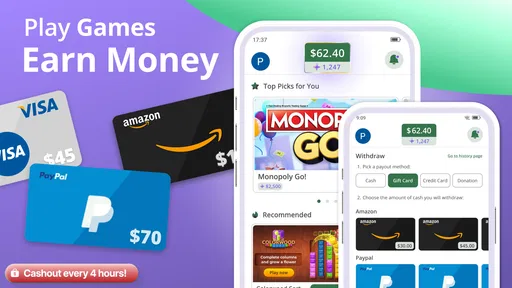
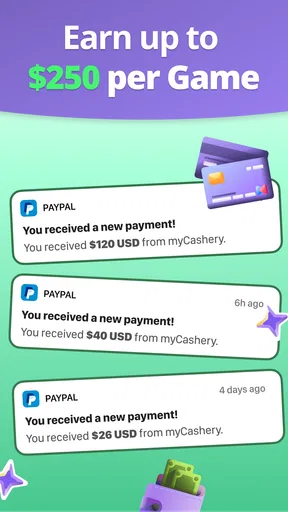
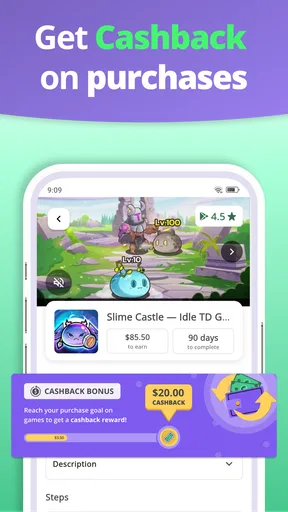
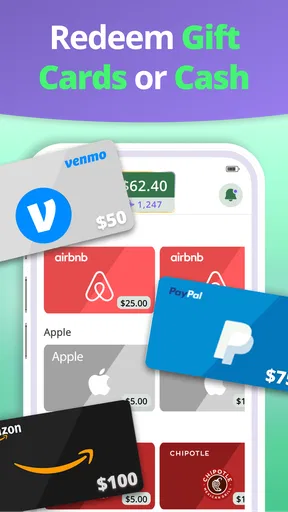
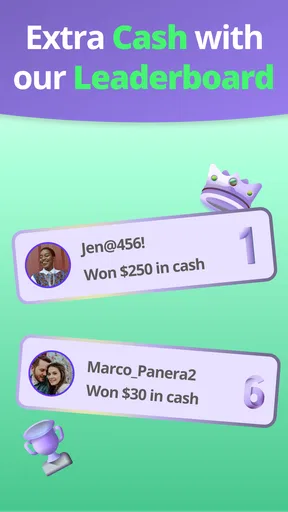

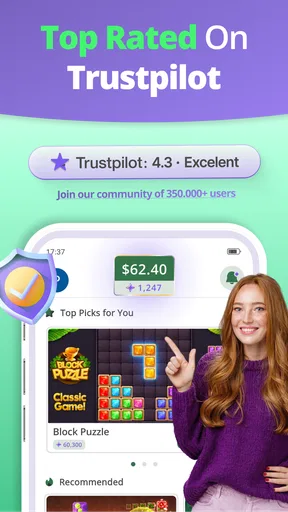
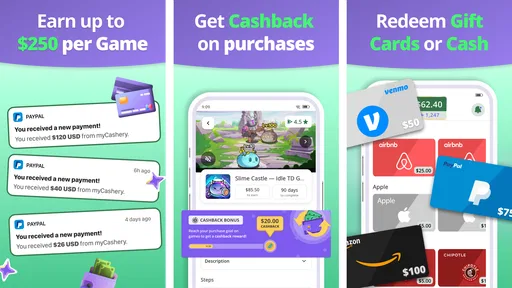
Our Review of myCashery: Play & Make Money
 Analysis by Appyee
I approached myCashery: Play & Make Money as a small lifestyle tool rather than as a replacement for a job. Its basic idea is straightforward: use the app to discover game-based earning opportunities and surveys, complete the activities that suit you, and work toward whatever rewards the service makes available. That sounds simple, but the real experience depends heavily on setup, eligibility, patience, and how carefully you treat each task.
My overall impression is that it can be worth trying if you already enjoy casual mobile games and do not mind answering occasional surveys. I would not install it expecting dependable income. I see it more as a way to turn spare minutes into a little extra value, provided you accept that available activities can vary and that not every task will be a good match for you.
The app comes from ayeT-Studios and sits in the lifestyle app category. It is free to install, carries a Mature 17+ content rating, and supports devices running Android 8.0 or later. Its current version is 2.0.10, while its public release was on Apr 29, 2024. Those details make it accessible to many Android users, although an older phone may still struggle if it has limited storage, memory, or an unreliable connection.
Getting past the first points of friction
I find the first session goes more smoothly when I treat each offer as a small commitment rather than something to tap through quickly. Before starting, I decide how much time I’m willing to give it and note the requirement I’m aiming to meet; that makes it easier to stop if the activity turns out to be a poor fit.
Why the first session can feel less rewarding than expected
The biggest mistake is treating the opening screen as if it guarantees a fixed menu of tasks. A rewards app is only useful when an activity matches your device, location, profile, and current availability. Surveys can screen you out after a few questions, and game offers may not appeal to everyone. That is not necessarily a technical failure, but it can make the first session feel disappointing.
I recommend opening the app when you have a few uninterrupted minutes rather than while rushing between errands. Read each activity carefully before starting it. If a task involves installing a game, check what action you are expected to complete and whether the requirement is realistic for the amount of time you are willing to spend. Starting several offers casually can create confusion later, especially if you do not remember which activity led to which progress.
There is also a psychological trap here. Seeing a reward attached to a game can make the game appear more valuable than it really is. I would separate the two decisions: first ask whether I would genuinely tolerate playing that title, then decide whether the reward justifies the effort. If the answer to the first question is no, the offer is probably not a good use of my time, even if the number displayed looks attractive.
Setup checks that prevent avoidable problems
Before I begin an offer, I make sure I am using the same device and account consistently. I also avoid switching between multiple devices during one activity. Even without assuming anything about the app’s internal tracking, changing devices can make it harder to understand whether progress belongs to the original session or whether a task was started elsewhere.
A stable internet connection matters during setup and while opening an offer. If the connection drops at the wrong moment, the app may not immediately show the next screen or may leave me unsure whether the action registered. My practical approach is to wait until the connection is steady, launch only one activity at a time, and keep a simple note of the game or survey name and the action I completed.
That note is more useful than it sounds. I record the date in ordinary language, the starting point, and any visible requirement. I do not need a complicated spreadsheet; a short phone note is enough. If progress later looks delayed, I have a clear reference instead of relying on memory. This is one of the easiest ways to reduce frustration with any offer-based rewards service.
I also check the phone itself. Android 8.0 is the stated minimum operating system, but meeting that requirement does not guarantee a smooth experience on every handset. I close demanding apps, make sure there is enough free storage for a game installation, and update the device if it has been waiting for a system restart. These steps do not improve the reward rate, but they can prevent crashes and incomplete installations that look like app problems.
How I handle surveys without wasting time
Surveys are best treated as optional short sessions, not as a reliable schedule. I answer consistently and honestly, because trying to force answers toward what I think a survey wants can lead to poor-quality results or an abrupt screen-out. If a survey ends early, I do not repeatedly reopen it expecting a different outcome. I move on and try another activity later.
My useful rule is to stop when the questions become repetitive, unclear, or unrelated to my actual situation. The purpose is to provide genuine responses, not to guess at an invisible scoring system. I also avoid beginning a survey when I am distracted. A rushed answer can be more frustrating than simply waiting until I can concentrate.
Privacy is another reason to be selective. Before sharing any personal information, I read the wording on the screen and decide whether I am comfortable continuing. A free app can still involve a trade-off between time, attention, and personal details. If a question feels too intrusive for the value offered, skipping that activity is a sensible choice.
Recovering when progress does not appear
When a completed activity does not seem to register, I first avoid repeating the same action immediately. Reinstalling a game, restarting a survey, or tapping through several screens in frustration can make the situation harder to understand. I close the app normally, reopen it after the connection is stable, and check whether the status has updated.
If nothing changes, I compare the current screen with my note. Did I complete the exact requirement, or did I only reach an earlier step? Did I begin the activity through the app, or did I open it independently? Did the game finish installing, or did the phone pause the download? These questions often separate a missed condition from a genuine delay.
A useful recovery workflow is deliberately boring. I write down the activity, the last completed action, and what the app currently shows. I take a screenshot when the screen clearly displays the relevant status, then wait rather than repeatedly submitting the same action. If the app provides a support route inside its interface, that record gives me something concrete to describe.
I would not create multiple accounts to chase the same offer or try to manipulate completion. Apart from being poor practice, that approach makes it much harder to identify where progress went wrong. One consistent account, one device where possible, and one carefully documented activity produce a cleaner experience.
When the phone or network is actually responsible
Not every missing screen or stalled download originates in myCashery. A weak Wi-Fi signal, aggressive battery saving, restricted background activity, an almost-full storage drive, or a game that is still installing can all interrupt the normal flow. If other apps are also loading slowly, the rewards app is probably not the only thing affected.
I check the basics in a sensible order: connection, available storage, device restart, and whether the separate game or survey page opens correctly. I avoid changing several settings at once, because then I cannot tell which adjustment helped. If the problem disappears after freeing storage or reconnecting to a stronger network, I treat that as a device issue rather than a defect in the app.
There is a similar distinction with reward expectations. If a survey is unavailable or I am screened out, that may reflect the activity’s audience rather than a broken installation. If a game offer is no longer visible, I do not assume that refreshing the screen will restore it. Availability can change, so I focus on the activities currently presented and read them before committing time.
How it compares with ordinary alternatives
Compared with a standard casual game, myCashery adds a practical reason to browse and play, but it also adds conditions and record-keeping. A normal game usually gives me a predictable entertainment loop; here, the value depends on whether I qualify for an activity and complete its requirements. If I only want a relaxing game, a conventional title is simpler and less distracting.
Compared with a survey-only app, this service is more appealing to someone who prefers game-based tasks. The trade-off is that installing and playing a game can demand more time than answering a short questionnaire. I would choose the game route only when I already like that kind of activity. For someone who wants quick, occasional questions and dislikes mobile gaming, a survey-focused alternative may fit better.
It also differs from cashback services, which are usually tied to purchases or shopping behavior. myCashery is more relevant when I want to use spare time rather than spend money. That is an important distinction: I would not buy something merely to pursue a reward, and I would not confuse a task-based app with a shopping discount tool.
Who will get the most from it
The best match is an adult Android user who enjoys trying casual games, can read instructions carefully, and is comfortable with variable availability. The Mature 17+ rating is worth noticing before installation, particularly if the device is shared with younger family members. The app has attracted over 500 thousand installs, with an average rating of 4.5 from around 17 thousand ratings, so it clearly has an audience, but popularity does not remove the need to judge each activity individually.
A realistic use case would be a quiet evening when I have already finished my main tasks. I open the app, look through the available options, choose one game that I would play anyway, and note the starting requirement before installing it. On another day, I might answer a survey during a waiting period. The value comes from fitting the app around time I already have, not from rearranging my day around it.
I would skip it if I need guaranteed earnings, dislike advertising or promotional task environments, have very limited storage, or become frustrated by delayed progress. I would also avoid it if I am unwilling to read conditions before starting. The app cannot make an unsuitable game enjoyable, and it cannot turn an uncertain survey supply into a dependable paycheck.
My practical verdict
After looking at the whole workflow, I see myCashery as a reasonable free experiment for people who already spend time on mobile games and want to explore survey-based rewards as well. Its strongest point is the combination of two activity types, which gives me more choice than a service focused on only games or only questions. Its weakest point is the uncertainty: the most attractive-looking task is not always the most efficient one, and progress may require patience and careful tracking.
My advice is to start slowly. Install it on a compatible Android device, browse before committing, choose one manageable activity, and keep a short record of what you started. Treat every reward as a bonus for spare time rather than promised income. If the process feels clear and the available tasks suit your habits, it can earn a place in an occasional rotation of lifestyle apps.
The right mindset is simple: use myCashery for optional spare-time value, not financial certainty. With that expectation, its free entry point makes sense. Without it, the setup checks, eligibility limits, and variable task experience may feel like more work than the rewards are worth.
Verdict
Strengths of myCashery: Play & Make Money
- Simple games make earning rewards feel quick and accessible.
- Clear reward-focused design makes the app easy to navigate.
- A variety of activities helps prevent the experience from feeling repetitive.
- Suitable for short sessions when you have a few minutes to spare.
- Can provide extra entertainment alongside potential small rewards.
Limitations of myCashery: Play & Make Money
- Earnings may be modest compared with the time required to complete tasks.
- Reward availability can vary by country, device, or user profile.
- Some offers may redirect you to external apps or websites.
- Cash-out requirements can make rewards feel slow to receive.
- Frequent ads or promotional content may interrupt gameplay.
Similar Picks in This Category
View All
SmartThings
Samsung Electronics Co., Ltd.4.6

Google Home
Google LLC4.0

Pinterest4.2

Astrotalk - Talk to Astrologer
Astrology & Horoscope4.7

My Verizon
Verizon Consumer Group4.5

Samsung Wallet (Samsung Pay)
Samsung Electronics Co., Ltd.4.1
Frequently Asked Questions
What is myCashery: Play & Make Money?
myCashery: Play & Make Money is a rewards app that lets users earn points or other incentives by completing activities such as playing selected games, trying apps, answering surveys, or reaching specific goals. From my experience, the app is mainly designed for casual users who want to earn small rewards in their spare time rather than replace a regular income. Available tasks and earning options may vary by country.
How do you earn rewards with myCashery?
After creating an account, you can browse the available offers inside myCashery and choose activities that match your interests. These may include game milestones, app installations, surveys, or promotional tasks. The requirements should be read carefully before starting, because rewards are usually credited only when the advertiser confirms that every condition has been completed. Tracking can also depend on device permissions and offer availability.
Can myCashery really make you money?
myCashery can provide rewards, but expectations should remain realistic. The amount you earn depends on the number of offers available, your location, the time required for each task, and whether the advertiser successfully tracks your activity. Some offers may be quick, while others require extended gameplay or personal information. It is best viewed as a way to earn occasional extra rewards, not as a dependable source of income.
How can you redeem rewards from myCashery?
The app generally provides redemption options once your balance reaches the required minimum, although available methods, limits, and processing times can differ according to region and account status. Before completing a lengthy offer, check the rewards section to confirm which payout options are currently supported. You should also make sure your account details are accurate, since incorrect information or duplicate accounts may delay or prevent successful redemption.
Is myCashery safe and worth downloading?
Before using myCashery, review the permissions it requests, its privacy policy, and the terms connected with individual offers. Reward platforms commonly work with advertising partners, so some tasks may involve sharing information or installing third-party applications. Avoid offers that seem unclear, never provide unnecessary sensitive data, and download only from an official app store. For users comfortable with occasional surveys and game-based tasks, it may be worth trying, provided expectations are modest.
